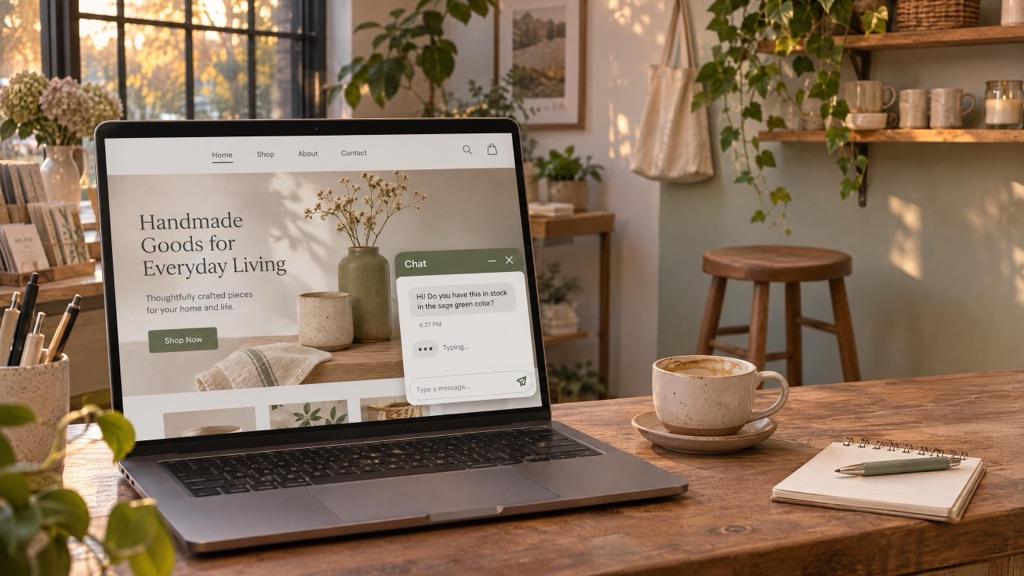
If you’ve been pitched a chat tool, you’ve probably heard that visitors who chat are several times more likely to buy. Almost every article on the subject is written by a company that sells chat software, so it’s hard to get a straight answer.
Here’s ours: for a small business, it comes down to one thing. Can you answer the chat quickly, every hour it’s on your site? If you can, chat may help. If you can’t, it’s likely to cost you enquiries.
This guide is part of our series on turning website visitors into customers.
Key Takeaways
- Only add live chat if someone can reliably answer within a couple of minutes during the hours it’s shown. An unanswered chat is worse than none.
- The big conversion figures for chat mostly come from chat vendors and compare people who chose to chat with people who didn’t. They don’t show that chat caused the sales.
- UK customers value speed and a real person. In a 2025 survey of 1,000 UK adults (TCN/Talker Research), 58% named solving the issue quickly as the most valued trait of customer service, and 42% preferred a phone call.
- Chat widgets load extra code from another company, which can slow your pages. Load the widget only when someone clicks a chat button.
- If you can’t staff chat, a visible phone number, a short form and a fast reply do much the same job.
Does live chat actually increase conversions?
Live chat probably helps when someone answers quickly, but there’s no reliable independent figure for how much. Most of the numbers you’ll see come from chat vendors, and they measure something different from what they appear to show.
A typical claim is that visitors who chat are three times more likely to buy. That can be true and still tell you very little. The people who open a chat window were already interested. They’re on a product or pricing page, they have a specific question, and they’re close to deciding. People like that buy more often whether or not chat exists.
So comparing “people who chatted” with “people who didn’t” mostly compares keen visitors with casual ones. To know what chat itself adds, you’d need to show it to some visitors and hide it from others, then compare the two groups. Vendors rarely publish tests like that, and the ones that circulate are often impossible to trace back to a source.
This guide deliberately doesn’t quote a headline lift figure: none we could find meets the bar we use for this blog. If you’re a two- or three-person business, don’t plan your budget around a vendor’s headline percentage. Plan around whether you can answer.
What UK customers want when they contact a business
Speed and a real person. Talker Research surveyed 1,000 UK adults in July 2025 for the contact-centre software company TCN. The survey found that solving the issue quickly was “the most valued characteristic of a customer service department”, chosen by 58% (TCN, “UK Consumer Survey 2025”, 25 November 2025).
The same survey found:
| What UK adults said | Share |
|---|---|
| Solving the issue quickly is the most valued trait of customer service | 58% |
| Prefer to talk to a live agent by phone | 42% |
| Immediately try to reach a live person when they meet automated options | 25% |
| Likely to abandon a brand after one poor customer service experience | 78% |
Two caveats. TCN sells contact-centre software, so it has its own interest in the topic, although an outside research firm ran the fieldwork. And the survey is about customer service in general, not website chat in particular.
Even so, the direction is clear: people want a fast answer from a human. A chat window that sits unanswered, or a bot that pretends to be a person, works against both. With 78% saying one bad experience could lose them, a slow chat isn’t a neutral feature. It’s a bad experience you’ve put on your own website.
Live chat vs chatbot vs neither
Use human live chat if you can staff it. Use a narrowly scoped chatbot for common questions and capturing messages out of hours. If you can do neither well, skip chat and make your phone number, form and email reply faster instead.
| Human live chat | Chatbot | No chat | |
|---|---|---|---|
| What it needs from you | Someone watching and replying within minutes, every hour it’s shown | Setup, accurate answers to load in, regular checks of what it says | A visible phone number, a short form, quick replies |
| Best for | Businesses with repeated pre-sale questions and someone at a desk | Simple, repeated questions (opening hours, delivery areas) and out-of-hours messages | Small teams who are often on site, on calls or with clients |
| Main risk | Slow or missed replies, which annoy keen visitors | Wrong answers about prices, availability or policies | Missing visitors who’d only ask by chat |
| Ongoing cost | Subscription plus staff time | Subscription plus time checking answers | Little or none |
AI chatbots deserve extra care. They can answer in fluent, confident sentences that are simply wrong, such as a price you no longer charge or a service you don’t offer. If you use one, limit it to questions you’ve written the answers to, make it obvious that it’s a bot, and give people a clear way to reach a person.
Will a chat widget slow down my website?
It can. A chat widget is code from another company that loads on your page, and third-party scripts are one of the common reasons a site feels slow. The fix is to load the widget only when someone asks for it.
Google’s Lighthouse documentation lists live chat tools such as Intercom, Drift and Help Scout among the embeds that can be swapped for a “facade” (Chrome for Developers, “Lazy load third-party resources with facades”, retrieved 12 November 2026). It defines a facade as “a static element that looks similar to the embedded third-party, but is not functional” until someone clicks it. In other words, a button that loads the real widget on click.
Speed matters because slow pages lose enquiries. Portent’s analysis of 20 websites found that, for B2B lead-generation sites, “a site that loads in 1 second has a conversion rate 3x higher than a site that loads in 5 seconds” (Portent, “Site Speed is (Still) Impacting Your Conversion Rate”, 20 April 2022). A widget that slows every page works against the enquiries it’s meant to win.
If you already have a chat widget, run your homepage through PageSpeed Insights and look for the chat provider’s name in the list of third-party code. Our guide to third-party scripts that slow your site explains what to look for, and the Core Web Vitals guide covers how responsiveness is measured, which is where heavy scripts tend to show up.
A simple test: should you add live chat?
Add live chat if you can answer yes to all three questions below. If any answer is no, improve your phone and form routes first.
- Can someone reply within about two minutes, every hour the chat is shown? Not “usually”. Every hour. If not, set the widget to appear only during staffed hours, or don’t install it.
- Do visitors keep asking the same questions before they buy? If your inbox is full of “do you cover my area?” or “how long does it take?”, chat can answer those while the visitor is still on the page. If enquiries are rare and varied, a form handles them just as well.
- Do people compare you with competitors before deciding? Chat earns its place when a quick answer can win a comparison. For an emergency plumber, a big phone number does the job better.
If you answered no to any of them, put that effort somewhere with a surer return. Making your phone number the call to action gives people who’d rather talk a one-tap way to do it. And a form people actually finish catches the questions chat would have caught, without anyone having to watch a screen.
The short version
Live chat isn’t good or bad in itself. It depends on whether you can staff it. If you can reply within a couple of minutes, every hour it’s shown, try it. Load it on click and keep any bot to questions you’ve answered yourself. If you can’t, a visible phone number and a short form will serve you better.
Before adding anything, check what a good conversion rate looks like for a site like yours. For where chat fits among everything else that turns visitors into enquiries, read the full conversion guide. If you’d like a second opinion on your own site, get in touch with us.
Frequently asked questions
What happens if no one answers the chat?
The visitor waits, gives up, and may not come back through another route. Set the widget to show only during staffed hours, display an expected reply time, and switch it to a message form when nobody's available. Then reply to those messages first thing.
Is WhatsApp a good alternative to live chat?
For many UK local businesses, yes. A WhatsApp button is lighter than a full chat tool, people already use the app, and you can reply from your phone between jobs. WhatsApp's click to chat feature lets you link straight to a conversation with your business number. The same rule applies, though: only offer it if you'll reply quickly.
Do I need to mention live chat in my privacy notice?
Usually, yes. Most chat tools store the conversation and the visitor's details, and many set cookies or similar technology, so mention the tool in your privacy notice and check the vendor's data processing terms. The ICO's guidance on storage and access technologies explains when you need consent. This isn't legal advice.